Time travel
Drag the dial to any moment
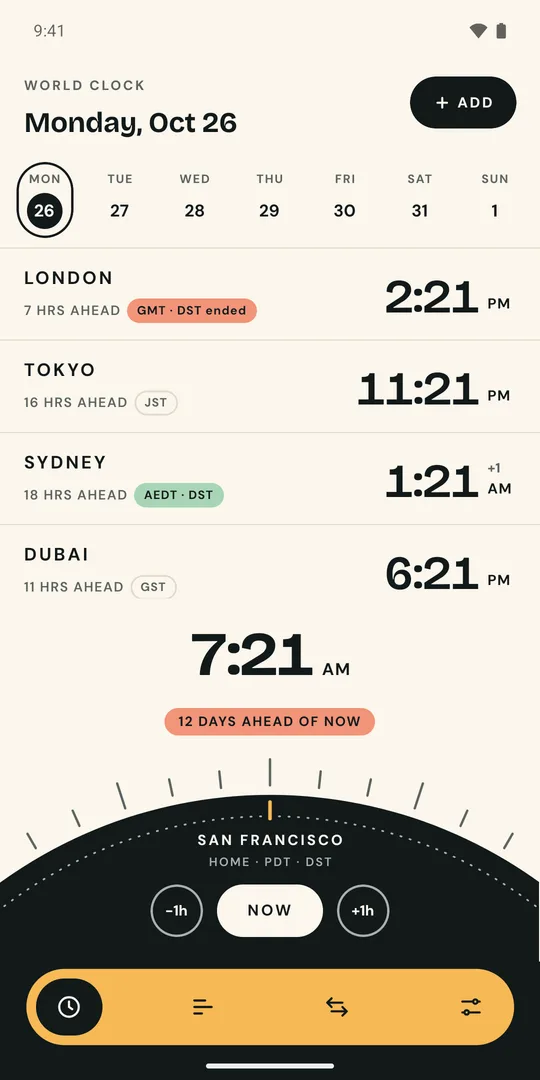
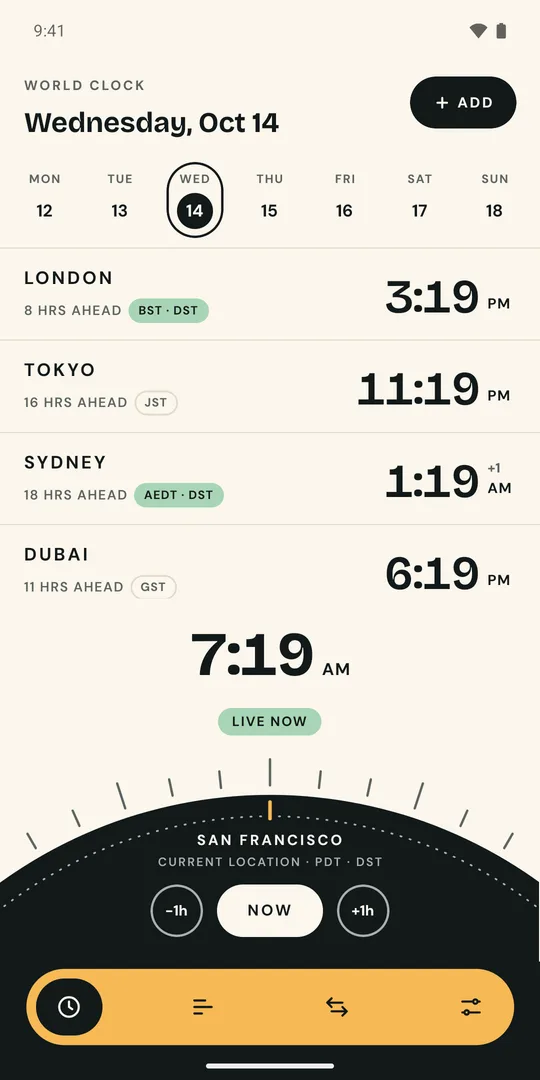
Scrub the dial or tap a day to jump into the future or the past. When clocks change in between, Hourline says so, like “GMT · DST ended” for London, and moves every city with it.
 Hourline
World clock · converter · meeting planner
Hourline shows the time in all your cities and gets daylight saving right, every time. Travel forward or back in time, find the hour that works for everyone, and see clock changes before they happen.
Time travel
Scrub the dial or tap a day to jump into the future or the past. When clocks change in between, Hourline says so, like “GMT · DST ended” for London, and moves every city with it.
Compare
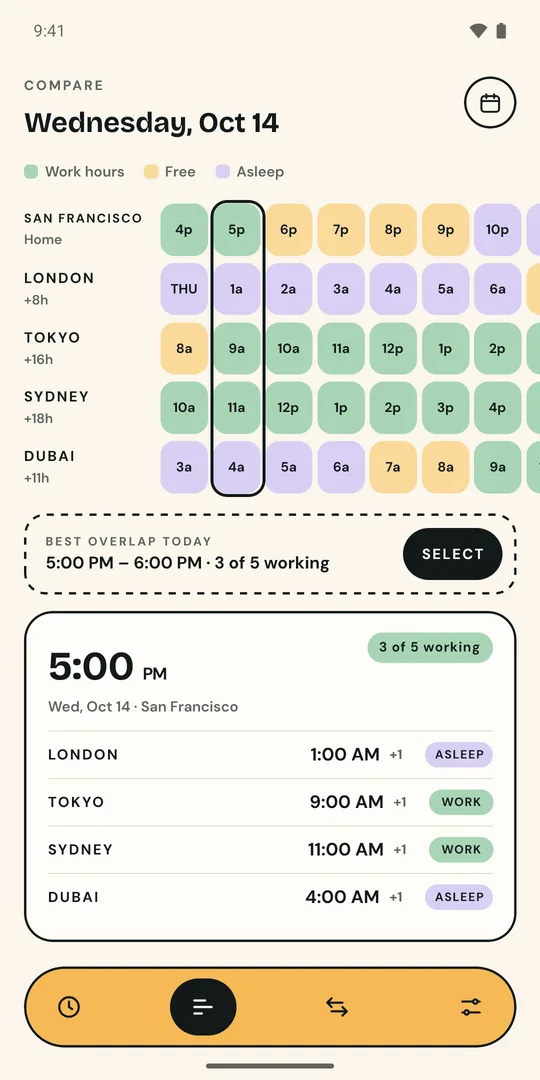
An hour grid shows work, free and sleep hours for every city side by side, and picks the best overlap for your next meeting.
Convert
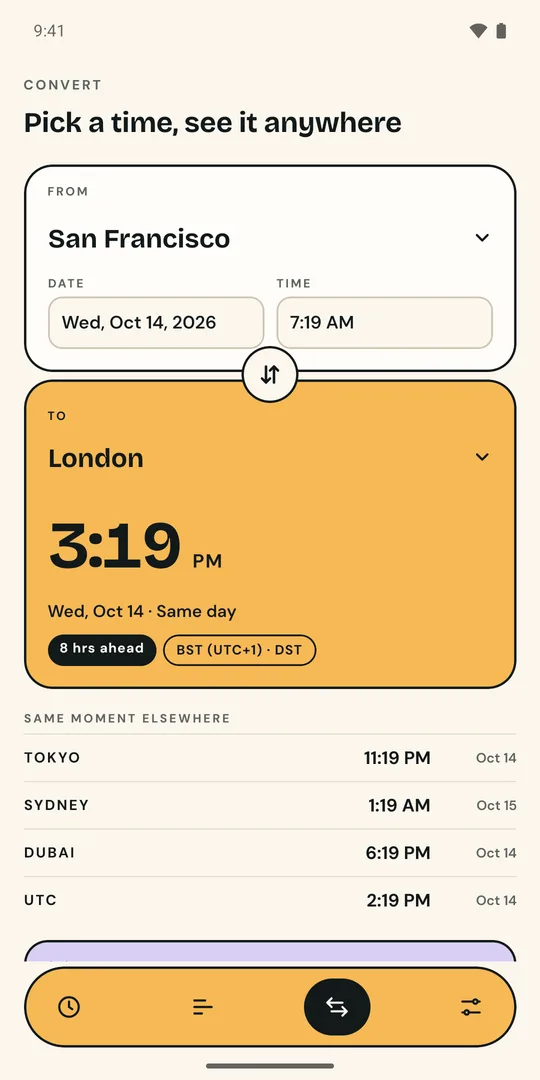
Pick a date and time in one city and see it everywhere, including UTC. Swap cities in one tap. Pick a time that’s skipped when clocks spring forward and Hourline warns you instead of quietly guessing.
Clock changes
See exactly when the next change happens, what time it happens locally, and how the gap between your cities moves afterwards.
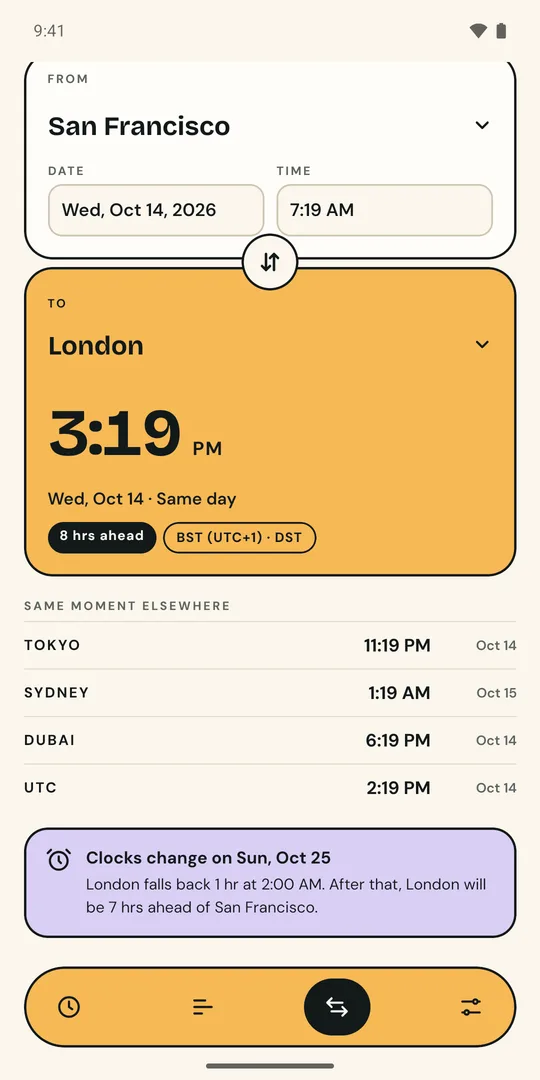
Light & dark
Light and dark themes that follow your phone, a 12- or 24-hour clock, and big, readable type that scales with your font size.
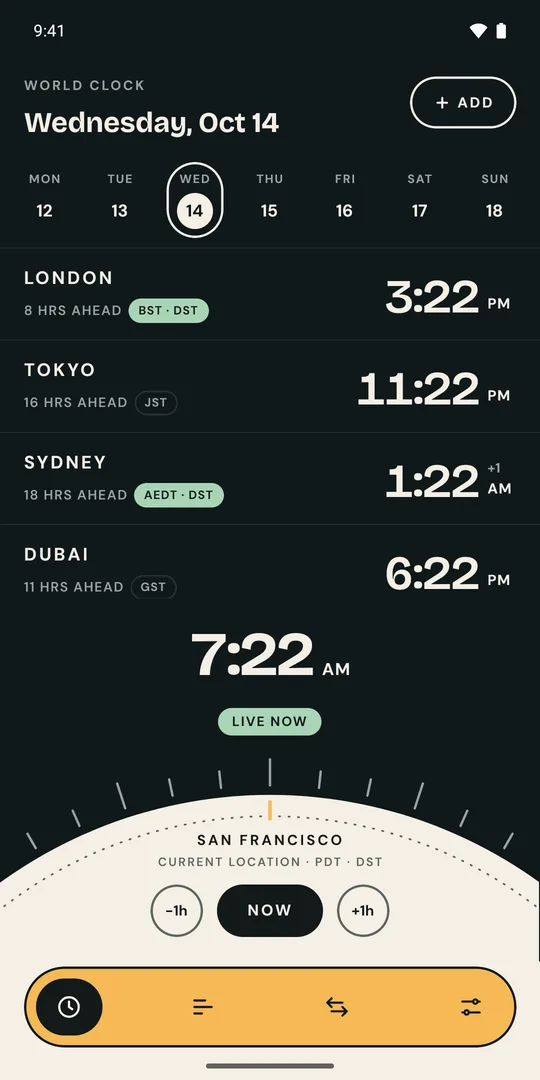
Hourline ships its own up-to-date time zone rules, so every phone gives the same answer, whatever its software version.
Closed beta on Google Play
Hourline is in closed testing before it launches on Google Play. Join in three steps. It takes about two minutes.
Sign in with the Google account you use in Google Play on your Android phone, then tap Join group.
Join on Google GroupsOpen the testing page with the same account and tap Become a tester.
Open testing pageInstall it from Google Play like any other app. Updates arrive automatically.
Get it on Google PlayPlease keep Hourline installed for at least 14 days. Google needs that before the app can go public. Found a bug or have an idea? Email hello@adevtutorials.in.
Yes. No ads, no in-app purchases, no account.
Android phones from Google Play. An iPhone version is planned.
None. The app works offline and your cities stay on your phone. Joining the beta goes through Google Groups and Google Play. See the privacy policy.
Make sure you joined the group with the same Google account you use in Google Play, then reload the page. It can take a few minutes after joining.
Open the testing page and tap Leave the program, then leave the group from Google Groups.